
DoorDash Drive vs. the DoorDash App: How Restaurants Keep More of Every Delivery Order
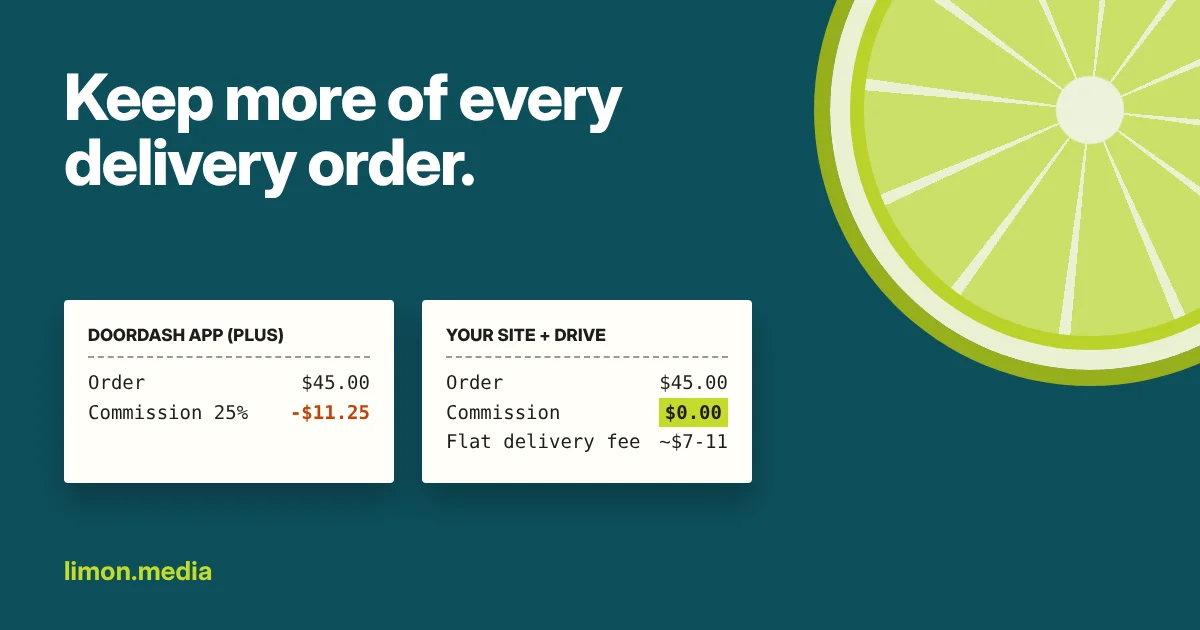
If your restaurant is on DoorDash, you're probably paying a percentage of every delivery order. What many owners don't know is that DoorDash has a second product, DoorDash Drive, where the same Dashers deliver orders that come from your own website for a flat fee instead of a commission.
Here's how the two compare, where the savings come from, and the one catch you need to plan for.
Two ways to use DoorDash
The DoorDash app (Marketplace). Customers find you and order inside the DoorDash app. You pay a commission on each order based on your plan: 15% on Basic, 25% on Plus and 30% on Premier for delivery, and 6% on pickup orders.
DoorDash Drive. Customers order from your own online ordering page, and a Dasher picks up and delivers. Instead of a percentage, you pay a flat fee per delivery, currently around $7 to $11 in the U.S. depending on the setup. You can choose to pass some or all of that fee on to the customer as a delivery charge.
If you use Clover, Toast or Square, there's a good chance your POS already includes online ordering with Drive delivery built in. It only has to be switched on.
The math on one order
Take a $45 dinner order for a family of three:
- DoorDash app, Plus plan (25%): you pay $11.25.
- DoorDash app, Premier plan (30%): you pay $13.50.
- Your own ordering page + Drive: you pay the flat delivery fee (about $7 to $11) plus normal card processing, and less if you charge the customer part of the delivery fee.
The gap gets bigger as orders get bigger, because a percentage grows with the order and a flat fee doesn't. On a $150 catering order, a 25% commission is $37.50. The Drive fee is the same as it was for the $45 order.
Pickup is even simpler. A pickup order in the DoorDash app still carries a 6% commission. A pickup order on your own ordering page costs you only card processing.
The catch: Drive doesn't bring you customers
This is the part most articles skip. Part of what the DoorDash app charges for is being found: people scrolling the app for dinner see your restaurant. Drive is only delivery. If nobody visits your ordering page, there's nothing to deliver.
So the real question isn't "app or Drive?" It's "how do I get people to order from my own page?" That's where Google comes in.
How to fill your own ordering page
- Turn on the online ordering your POS already has. Set up the menu, photos, hours, pickup and Drive delivery. Remove anything you don't sell online, like alcohol.
- Put the Order button where people look. Add your ordering link to your website's main menu and to your Google Business Profile, so the "Order" button on Google sends people to you and not only to the apps.
- Run targeted Google Ads. Show ads to people inside your delivery area searching for things like "tacos near me" or "Mexican food delivery," at lunch and dinner time, with an "Order online" link right in the ad. You set the budget, and every click lands on your own ordering page.
- Turn regulars into direct customers. Table tents, receipts and your social pages can all say "Order direct next time" with a QR code to your ordering page.
The goal is simple: a customer who finds you through a Google ad and orders direct costs you a click and a flat delivery fee, not a quarter of the order.
Should you leave the DoorDash app?
Usually not. The app is still a good way for new customers to discover you. The smart move is to use both: let the app bring in new people, and make it easy for everyone who already likes your food to order from you directly.
A real example
Taqueria Tlaquepaque in Palm Springs had used Clover for years, unaware it included online ordering. We switched it on, removed alcohol from the online menu, added Online Ordering to the website's main menu, and put their own ordering link on their Google listing and in their Google Ads. Online orders now go straight into Clover and print for the kitchen like any other ticket, with no extra tablet to watch, and customers have a direct way to order that doesn't go through an app.
Want to see what your system can already do?
I'll look at your POS, your Google listing and your current delivery setup, and show you what's already available to you, for free. Email info@limon.media with your restaurant's name. Lea este artículo en español.